Most businesses lose leads for one reason.
Poor follow-up.
A customer fills out a form. Someone forgot to call back. Notes stay in WhatsApp chats, spreadsheets, or notebooks. Teams work without visibility.
This creates delays. Delays cost sales.
A CRM fixes this problem.
What Is a CRM?
CRM stands for Customer Relationship Management.
It is software that helps you manage leads, customers, follow-ups, tasks, and sales activity in one place.
Instead of using Excel sheets, sticky notes, and multiple apps, your team works from a single system.
A CRM stores:
- Customer details
- Call history
- Follow-up reminders
- Sales status
- Team activities
- Notes and documents
- Meeting schedules
Every interaction stays organized.
How a CRM Works
Here is a simple example.
A customer submits an enquiry on your website.
The CRM:
- Captures the lead instantly
- Assigns it to a team member
- Sends notifications
- Schedules follow-ups
- Tracks every conversation
- Updates lead status
Your team knows exactly what to do next.
Nothing gets missed.
Why Growing Businesses Need a CRM
Growth creates operational problems.
More leads. More calls. More follow-ups. More employees.
Without a system, confusion increases.
A CRM keeps your business organized while you scale.
1. You Respond Faster
Speed matters in sales.
According to Lead Connect, businesses that respond within 5 minutes are 21 times more likely to qualify a lead compared to those responding after 30 minutes.
Most businesses respond too late.
A CRM helps you:
- Capture leads instantly
- Notify sales teams immediately
- Track pending follow-ups
- Reduce response delays
Faster response increases conversions.
2. Your Team Stays Organized
Many teams still manage leads using spreadsheets.
This creates problems:
- Duplicate data
- Missed follow-ups
- No ownership
- No visibility
- Manual errors
A CRM keeps all lead data in one place.
Your team sees:
- Lead status
- Conversation history
- Assigned tasks
- Upcoming follow-ups
Everyone stays aligned.
3. You Stop Losing Leads
Missed follow-ups hurt revenue.
Sales reps forget callbacks. Notes get lost. Customers move to competitors.
A CRM tracks every lead stage.
You know:
- Which leads need attention
- Which deals are inactive
- Which customers replied
- Which follow-ups are overdue
This improves accountability.
4. Automation Saves Time
Manual work slows teams down.
A CRM automates repetitive tasks like:
- Lead assignment
- Reminder alerts
- Email follow-ups
- Status updates
- Task creation
Your team spends more time selling.
Less time managing spreadsheets.
5. You Get Better Reporting
Growing businesses need data.
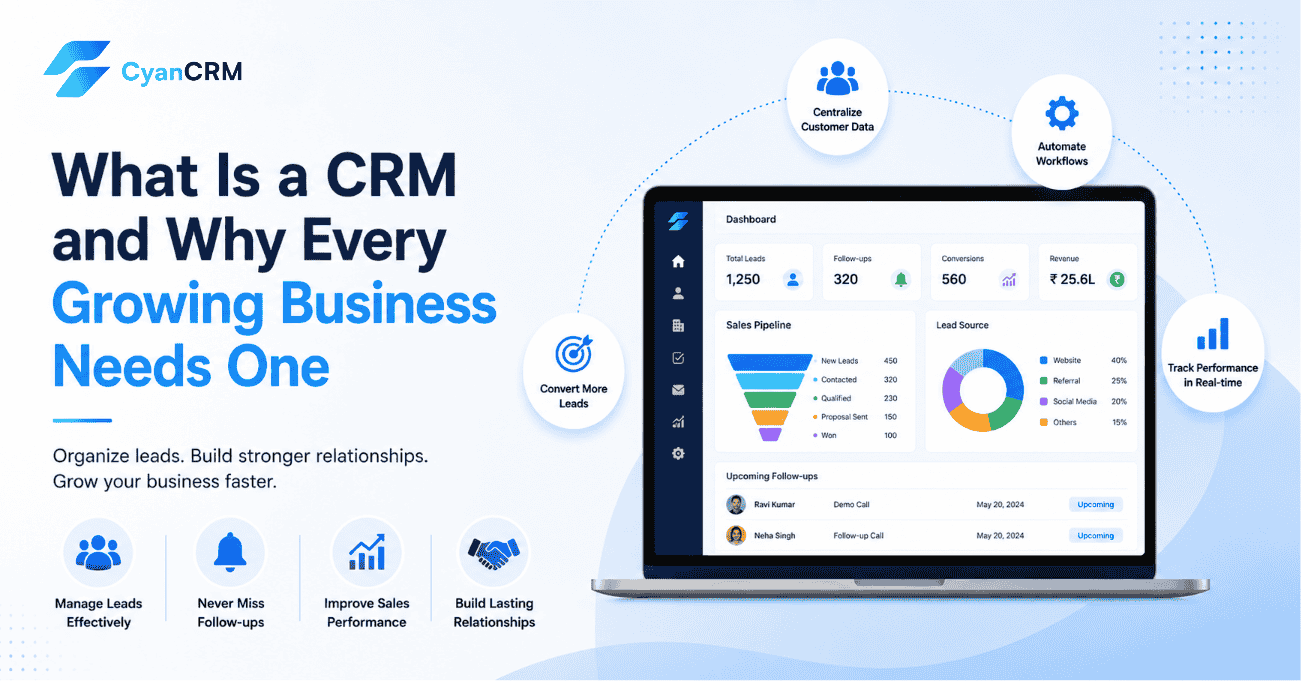
A CRM shows:
- Lead sources
- Conversion rates
- Sales performance
- Team activity
- Revenue trends
This helps you make faster decisions.
You identify what works.
You fix what does not.
6. Customer Experience Improves
Customers expect quick communication.
They do not want repeated questions or delayed responses.
A CRM gives your team complete customer history.
This helps you:
- Personalize conversations
- Respond with context
- Build trust
- Improve retention
Better experience increases repeat business.
Industries That Benefit From CRM Software
Almost every service business needs lead management.
CRM software works well for:
- Education institutes
- Immigration consultants
- Real estate companies
- Sales agencies
- Healthcare businesses
- Financial services
- Marketing agencies
Any business handling enquiries and follow-ups benefits from a CRM.
Signs Your Business Needs a CRM
You likely need a CRM if:
- Leads are managed in Excel
- Follow-ups get missed
- Teams lack coordination
- Response times are slow
- Sales tracking feels messy
- Managers lack visibility
- Customer data stays scattered
These issues grow worse as your business expands.
What to Look for in a CRM
Choose a CRM that is simple and practical.
Look for features like:
- Lead capture
- Sales pipeline tracking
- Task reminders
- Automation workflows
- Team management
- Reporting dashboards
- Mobile access
- WhatsApp integration
Ease of use matters.
If your team avoids the software, it fails.
How CyanCRM Helps Growing Businesses Manage Leads Better
Many growing businesses struggle with scattered lead data, missed follow-ups, and manual tracking. CyanCRM helps teams organize leads, automate follow-ups, track conversations, and manage the full sales process from one dashboard. It is designed for businesses that want a simple CRM without unnecessary complexity.
Final Thoughts
Growth creates complexity.
A CRM brings structure.
It helps your team respond faster, stay organized, and manage leads efficiently.
Businesses that rely on spreadsheets struggle to scale.
Businesses with a proper CRM operate with clarity.
If your team handles leads daily, a CRM is no longer optional.